Contents
- Index
- Previous
- Next
Moving Selected Data
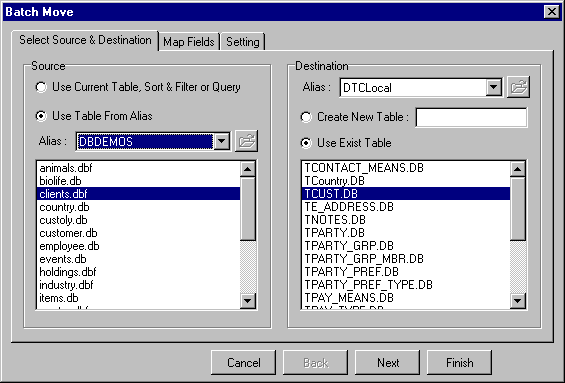
DBQwikEdit Data Mover allows you to move data between tables of different databases.
A unique feature with DBQwikEdit is that it not only allows you to move data between tables, but it allows you to move data from your Data Grid to tables. This means that you can actually move subsets of data and that you can also convert data between databases. Imaging that you have a table called CUSTOMER in one database and that you had PARTY and ADDRESS in another database. You can actually write a query to select only the PARTY entries that are TYPE="CUST" and Join to the ADDRESS table to get the CITY that is also in the CUSTOMER Table. Run your query, and use the mover to migrate the data to the CUSTOMER table.
When your are moving the data you can also map fields allowing you to move data between tables with different column names.
You can also use advanced features to operate against the destination not just moving (adding data) but also, merging (updating), or Deleting from the destination.
DBQwikEdit Data can save you hours of work in data management and custom programming to migrate data.
See also
Mapping Columns
Move Settings
Click on the pictures below for more information.
Choosing Source and Destination